
If you’re a local business owner looking to attract more customers, increase visibility, and enhance your online reputation, Google My Business (GMB) is a tool you can’t afford to ignore. In today’s location-driven search landscape, customers are looking for services near them, making geographic relevance (geo-targeting) more important than ever. Managing your GMB effectively can put your business on the map—literally—helping you connect with the right customers in the right locations at the right time.
At SanMo UK, the leading reputation management company, we empower businesses with the tools and strategies they need to thrive locally. Google My Business is one of the key services we specialize in, helping businesses boost their local and hyper-local presence in highly competitive markets.
In this post, we’ll explore what GMB offers, why geo-targeted visibility matters, and how you can use it to give your business a competitive edge in your local market.
By the time you finish reading, you’ll know how to fine-tune your online presence, strengthen your geographic relevance, maximize local SEO, and start seeing measurable results.
What Is Google My Business?
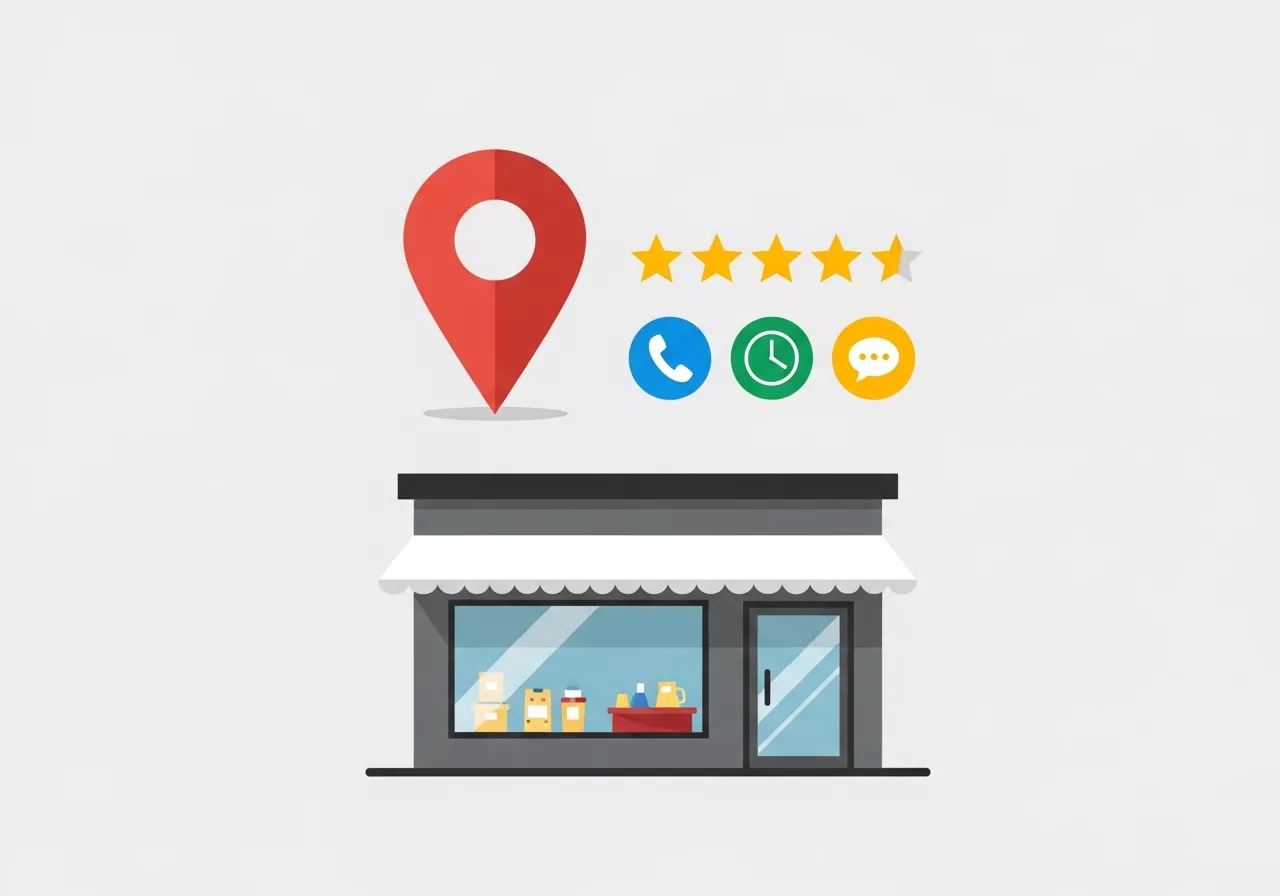
Google My Business is a free tool provided by Google that allows businesses to manage their online presence across Google Search and Google Maps. It’s essentially a business profile that lets you share critical information, such as:
- Your business name, address, and phone number (NAP)
- Hours of operation
- High-quality images of your products or services
- Customer reviews and ratings
- A link to your website
- Recent updates, promotions, or offers
Why Google My Business Matters
GMB is essential for local businesses for several reasons:
- Improved Visibility: When potential customers in your area search for services you offer, a fully optimized GMB ensures your business appears in local search results.
- Customer Trust: Businesses with complete profiles inspire trust. According to Google, customers are 70% more likely to visit a business with a GMB listing.
- Better Engagement: GMB offers direct interaction opportunities through reviews, Q&As, or Google Posts.
- Enhanced Local SEO: The information in your GMB listing helps Google understand your business better, improving your overall ranking in local search results.
For example, imagine you’re a local coffee shop owner in London. If someone searches for “best coffee shop near me,” Google shows local results in the map pack. If your listing is optimized, you’ll be among the top options shown—leading to more foot traffic and sales.
Key Features of Google My Business That You Should Utilize
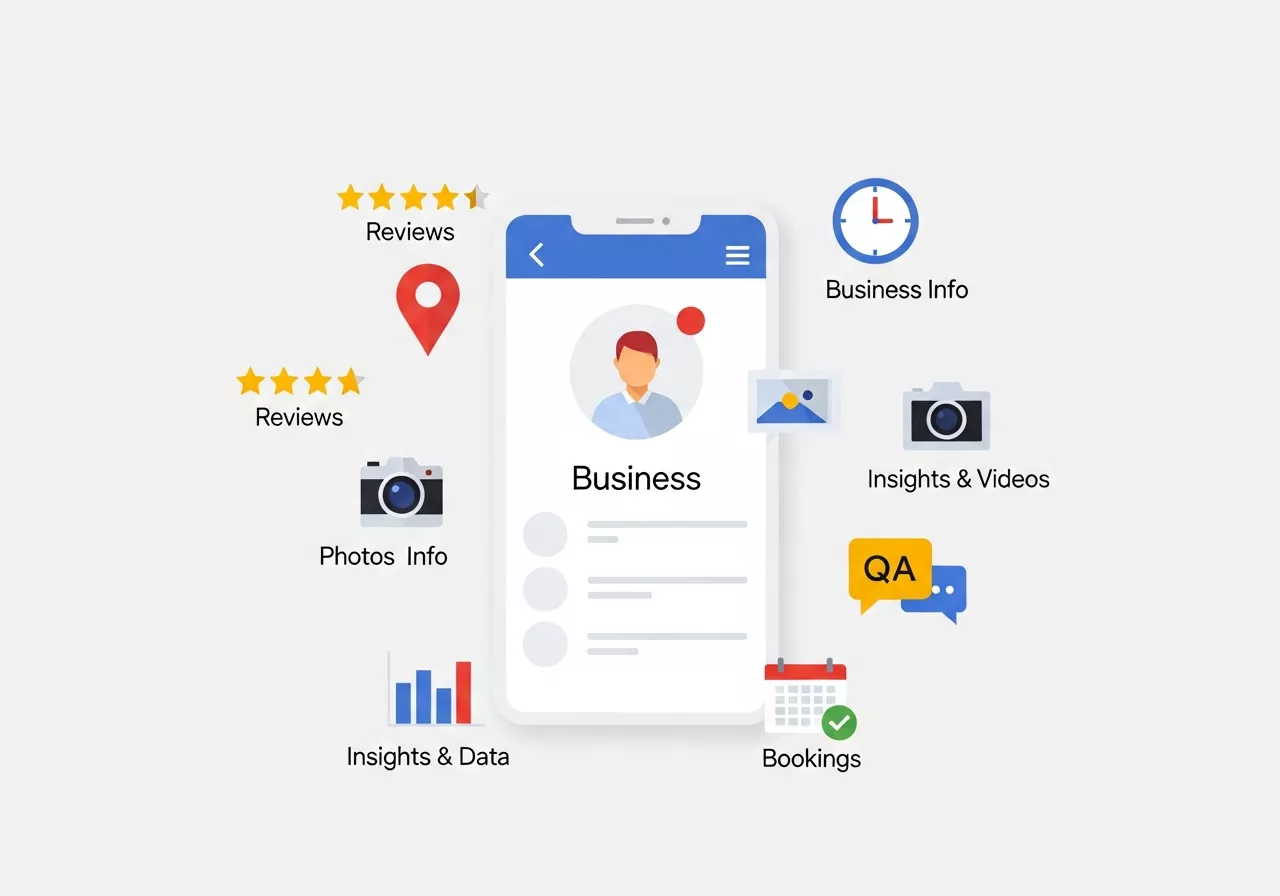
To get the most out of GMB, take advantage of these essential features:
1. Accurate Business Information
Your business details, like name, address, phone number, and category, need to be complete and consistent across all online platforms. This is foundational for local SEO.
👉 Tip from SanMo UK: Always ensure that your “NAP” (Name, Address, Phone number) is correct and matches the details on your website or social profiles.
2. Customer Reviews
92% of consumers read online reviews before making a decision. Reviews build credibility, strengthen your reputation, and enhance SEO rankings.
👉 Encourage customers to leave authentic reviews after a positive experience. And don’t forget to respond proactively—thank happy customers and address concerns from less-than-satisfied ones.
3. Google Posts
The Post feature is like a mini social media post that appears in your business profile. Use it to share updates, promotions, events, or news.
👉 Highlight limited-time offers, announce new hours of operation, or tease exciting upcoming events.
4. Insights and Data
Your GMB dashboard provides useful data, such as how customers find you, what queries they use, and how many called your store or visited after finding you on Google.
👉 Analyze this data regularly to tweak your strategies and maximize user engagement.
5. Photos and Videos
Businesses with photos receive 42% more requests for directions and 35% more website clicks. High-quality visuals are a must for standing out.
👉 Regularly upload photos of your location, team, and services to keep your profile fresh and inviting.
6. Q&A Section
The Q&A feature lets potential customers ask you directly about your business.
👉 Keep it professional and FAQ-friendly by answering common queries in detail. You can also use this space to highlight your unique selling points.
7. Booking Options
If your business offers services by appointment, Google integrates tools such as online booking, streamlining the customer experience.
👉 Make it as easy as possible for customers to book appointments directly from your GMB profile.
Leveraging GEO-Targeting to Dominate Local Search Results
Geo-targeting is one of the most powerful yet underutilized strategies in local SEO, and Google My Business is at the center of it. GEO targeting focuses on optimizing your online presence for specific locations, ensuring your business appears in front of customers searching within your service area.
When users search terms like “plumber near me,” “SEO agency in Manchester,” or “best café in London,” Google prioritizes businesses with strong location relevance. An optimized GMB profile helps Google associate your business with precise geographic areas, making it easier for local customers to find you.
Why GEO Optimization Matters for Local Businesses
Local intent searches convert faster than general searches because users are actively looking for nearby solutions. GEO-focused GMB optimization allows you to:
- Reach customers at the exact moment they need your service
- Increase walk-in traffic and phone calls
- Reduce competition by targeting hyper-local areas
- Improve trust through location-based relevance
SanMo UK Insight: Businesses that implement geo-specific keywords and service areas in their GMB profiles often see faster ranking improvements than those using generic descriptions.
GEO Optimization Strategies You Should Apply
To strengthen your geographic relevance on Google:
- Add location-based keywords to your business description
- Use city, borough, or neighborhood names naturally
- Create Google Posts highlighting local events or offers
- Upload geo-tagged photos from your business location
- Add service areas if you serve multiple cities
GEO Targeting Checklist for Google My Business
| GEO Optimization Element | Description | Impact on Visibility |
|---|---|---|
| Location Keywords | City and neighborhood names in descriptions | High |
| Service Areas | Defining areas you serve | High |
| Geo-Tagged Images | Photos linked to your location | Medium |
| Local Google Posts | Posts referencing local events | Medium |
| Local Reviews | Reviews mentioning the location | Very High |
The Role of Google My Business in Hyper-Local SEO Campaigns

Hyper-local SEO goes beyond targeting a city—it focuses on specific streets, neighborhoods, or districts. Google My Business plays a critical role in helping businesses win these highly competitive micro-markets.
For example, ranking for “electrician in East London” or “dentist near Canary Wharf” requires more than just a website—it demands a highly optimized GMB profile with strong geo-signals.
How GMB Strengthens Hyper-Local Search Presence
Google relies heavily on GMB signals to determine local relevance. Your profile communicates:
- Where your business is located
- Who your services are for
- How active and trustworthy your business is
- How customers interact with your brand locally
When combined with strong reviews and consistent updates, GMB becomes your primary local ranking asset.
Key Hyper-Local Optimization Techniques
To dominate smaller geographic zones:
- Encourage reviews that mention specific locations
- Create Google Posts referencing local landmarks
- Add FAQs with geo-based questions (e.g., “Do you serve Soho?”)
- Upload images from nearby streets or events
- Use neighborhood names in service descriptions
Pro Tip from SanMo UK: Hyper-local optimization significantly reduces competition while increasing conversion rates because customers prefer businesses they recognize as “local.”
Hyper-Local SEO vs Traditional Local SEO
| SEO Type | Target Area | Competition Level | Conversion Rate |
|---|---|---|---|
| Traditional Local SEO | Entire city | High | Medium |
| Hyper-Local SEO | Neighborhood or district | Low | High |
| GEO-Based SEO | Multiple service areas | Medium | High |
| National SEO | Country-wide | Very High | Low |
How to Set Up and Optimize Your GMB Listing
Step 1: Claim Your Business
Visit Google My Business and claim your profile. Verify it by mail, phone, or email.
Step 2: Complete Every Section
From business hours to product offerings, fill out your profile in its entirety. Google rewards complete profiles with better visibility.
Step 3: Add Keywords
Research keywords your customers are searching for, and naturally incorporate them into your descriptions, posts, or FAQs.
Step 4: Regular Updates
Keep your profile active by sharing updates or images. Dormant profiles may rank lower.
Step 5: Monitor and Respond
Pay attention to customer reviews or questions and engage actively.
How SanMo UK Can Help
Managing your business reputation online can be overwhelming, especially if you’re juggling multiple priorities. That’s where SanMo UK, as the UK’s best reputation management service, comes in. We’ve helped countless small businesses optimize GMB profiles for better visibility and more leads.
Here’s what we offer:
- Full GMB profile setup and optimization
- Review monitoring and management
- Regular updates and Google Posts tailored to your business
- Local SEO strategies to keep you ahead of competitors
Our expertise ensures your GMB doesn’t just sit unused—it becomes the driving force behind your online and offline growth.
Tracking GEO Performance and Measuring Local SEO Success
Optimizing your Google My Business profile is only effective if you track performance and refine your strategy over time. Fortunately, GMB provides built-in analytics that allow businesses to measure how well their GEO-focused efforts are performing.
Understanding these insights helps you make smarter marketing decisions and ensures continuous improvement.
Key GEO Metrics to Monitor in Google My Business
Your GMB dashboard offers valuable data such as:
- How customers find your business (search or maps)
- Geo-based search queries that users typed
- Calls, direction requests, and website clicks
- Photo views compared to competitors
Monitoring these metrics allows you to identify which locations drive the most engagement and where improvements are needed.
Essential Local SEO KPIs for GEO Tracking
Focus on the following indicators:
- Increase in “near me” search visibility
- Growth in location-based keywords
- Rise in calls from local searches
- Higher engagement on Google Maps
- Improved review volume and ratings
SanMo UK Recommendation: Regular performance tracking ensures your GMB profile evolves alongside Google’s algorithm changes and local market trends.
GEO Performance Tracking Table
| Metric | What It Measures | Why It Matters |
|---|---|---|
| Search Queries | Location-based searches | Reveals user intent |
| Direction Requests | Foot traffic potential | Indicates offline impact |
| Calls | Lead generation | Measures conversions |
| Photo Views | Visual engagement | Brand trust |
| Review Activity | Reputation strength | Local ranking boost |
Final Thought
Geo-optimized Google My Business management is no longer optional—it’s essential for businesses that want to thrive in competitive local markets. By combining GMB best practices, GEO targeting, and hyper-local SEO strategies, businesses can dramatically increase visibility, engagement, and conversions.
With SanMo UK’s expertise in reputation management and local SEO, your business doesn’t just appear in searches—it stands out exactly where your customers are looking.
Grow Your Local Presence with SanMo UK
Your customers are already searching for businesses like yours on Google—
The question is, are they finding you or your competitors?
At SanMo UK, we specialize in Google My Business optimization, reputation management, and GEO-focused local SEO strategies designed to put your business front and center in local search results.
Why Choose SanMo UK?
✔ Expert Google My Business setup & optimization
✔ GEO-targeted and hyper-local SEO strategies
✔ Review monitoring and reputation management
✔ Ongoing updates, insights, and performance tracking
✔ Proven results for UK-based local businesses
Whether you’re looking to increase phone calls, drive foot traffic, or dominate Google Maps rankings, SanMo UK has the expertise to make it happen.
Take the next step toward local visibility and growth.
Contact SanMo UK today and let us transform your Google My Business profile into a powerful lead-generation tool.
Frequently Asked Questions (FAQs) About Google My Business & Local SEO
1. Is Google My Business really free to use?
Yes, Google My Business is completely free. However, professional optimization and ongoing management—like review handling, GEO targeting, and local SEO strategy—often require expert support to achieve consistent results.
2. How long does it take for Google My Business optimization to show results?
Results vary depending on competition and location, but most businesses start seeing improvements in local visibility, calls, and map rankings within 4–8 weeks when their GMB profile is properly optimized and actively managed.
3. Can Google My Business help my business rank for “near me” searches?
Absolutely. Google My Business is one of the strongest ranking factors for “near me” and location-based searches. Optimized profiles with accurate NAP details, reviews, GEO keywords, and regular updates perform significantly better in local results.
4. What’s the difference between local SEO and GEO-targeted SEO?
- Local SEO focuses on ranking in a city or region
- GEO-targeted SEO narrows that focus to specific service areas, neighborhoods, or districts
GMB plays a crucial role in both strategies by signaling location relevance to Google.
5. How important are reviews for Google My Business rankings?
Reviews are extremely important. They impact:
- Local map pack rankings
- Customer trust and conversions
- Click-through rates
Regular review generation and professional response management can dramatically improve your local presence.
6. Should I update my Google My Business profile regularly?
Yes. Active profiles rank higher. Posting updates, uploading photos, answering Q&As, and responding to reviews signal to Google that your business is relevant and trustworthy.
7. Can SanMo UK manage my Google My Business profile for me?
Yes. SanMo UK offers full Google My Business management, including setup, optimization, GEO targeting, review monitoring, posting strategies, and performance tracking—so you can focus on running your business.
8. Can I optimize Google My Business for multiple locations?
Yes. If your business serves multiple locations, you can optimize GMB by:
- Adding multiple verified business profiles (if applicable)
- Defining service areas accurately
- Creating GEO-focused posts and content for each location
Professional management ensures consistency and prevents ranking issues.
9. What happens if my business information is inconsistent online?
Inconsistent NAP (Name, Address, Phone number) information can:
- Confuse Google’s algorithm
- Reduce local rankings
- Lower customer trust
Maintaining consistency across GMB, your website, and directories is essential for strong local SEO performance.
10. Does Google My Business help with mobile searches?
Yes. A significant percentage of GMB searches come from mobile users, especially for “near me” and voice searches. Optimized GMB profiles are more likely to appear in:
- Google Maps
- Voice search results
- Mobile local packs
This makes GMB crucial for capturing on-the-go customers.
11. How often should I post on Google My Business?
Ideally, businesses should post at least once per week. Regular posting:
- Improves engagement
- Signals activity to Google
- Keeps your profile fresh and relevant
Businesses with frequent updates often outperform inactive competitors.
12. Can Google My Business help service-area businesses without a storefront?
Yes. Service-area businesses (like plumbers, electricians, cleaners, or consultants) can hide their physical address and still rank by:
- Setting defined service areas
- Using GEO-based keywords
- Collecting location-relevant reviews
This approach is highly effective when implemented correctly.
13. What role do photos play in local rankings?
Photos increase:
- User engagement
- Direction requests
- Website clicks
Google also favors profiles with regularly updated, location-relevant images, especially those taken at the business location.
14. Is responding to reviews really necessary?
Yes. Responding to reviews:
- Shows customer care and professionalism
- Builds trust with potential customers
- Positively influences local ranking signals
Google considers review responses a sign of active business management.
15. How does GEO tagging photos help local SEO?
Geo-tagged photos help Google associate your business with a specific location, strengthening local relevance signals. While not a direct ranking factor alone, they support overall GEO optimization when combined with other strategies.